

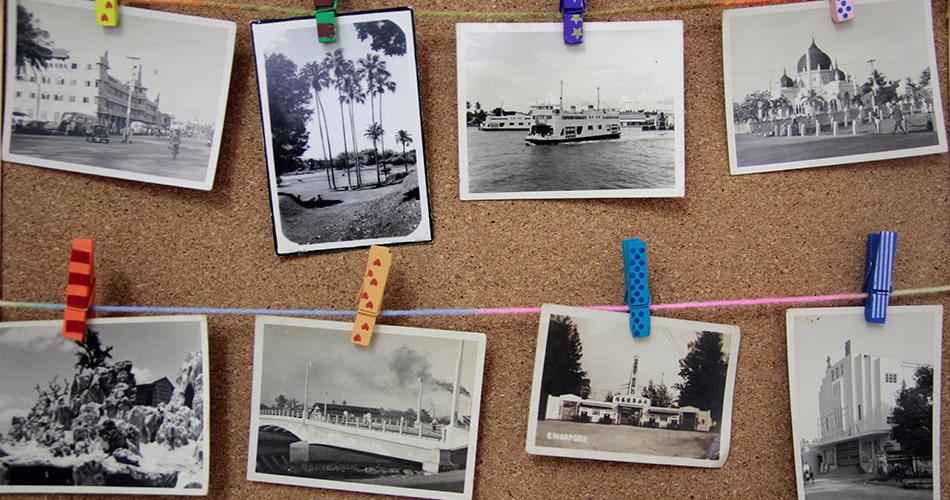
Flipping through a box of old photo albums or slides often feels like stepping back in time. But sadly, those physical prints are ticking away.
Fading colors, brittle pages, and obsolete formats all threaten your memories. That’s where photo digitization comes in.
In this post, you’ll learn:
- Why physical albums and slides are at risk today
- How the digitization workflow works from start to finish
- Key advantages and best practices for service providers
- The main challenges and how to overcome them
Why Physical Albums and Slides Are at Risk
Old photographs and slides may seem harmless, but the truth is far different. Over time:
- Chemical degradation causes color shifts, fading, and brittleness.
- Exposure to light, humidity, or dust accelerates damage.
- Many legacy formats like 35 mm slides, APS film, and mounted prints are becoming hard to handle or scan properly.
- Digital-only storage, like cloud and sharing apps, has surpassed print as the preferred format.
For service providers, this means that clients need reliable and long-term digital preservation.
What Does “Turning Dusty Albums into Digital Treasures” Actually Mean?
Here’s a breakdown of the transformation:
- Scanning: Converting analog originals into digital files at high resolution and faithful color.
- Restoration or Enhancement: Fixing dust spots, tears, faded colors, and other damage using digital tools.
- Metadata & Organization: Adding descriptive tags, names, dates, and categories so files are searchable and shareable.
- Digital Delivery & Access: Providing clients with online galleries, downloadable files, and secure storage options.
- Preservation & Shareability: Clients’ precious memories are preserved and can be easily shared across devices, generations, and platforms.
Key benefits for clients include:
- Instant access across smartphones, tablets, and computers.
- Easy copying and sharing without risk of damage.
- Ability to produce new prints, photo books, or digital slideshows.
- Long-term preservation, even if prints degrade or get lost.
How Does the Scanning or Digitization Workflow Work for Businesses?
Providing a professional slide-scanning or album-scanning service demands a clear and repeatable workflow. Here’s a recommended process for your business:
- Intake & Assessment
- The client brings in albums or slides, and you inspect for condition, format types, and volume.
- Provide an estimate of cost/time based on quantity, condition, and format complexity.
- Cleaning, Sorting & Preparation
- Remove dust, loose debris, and then sort by format.
- Flag heavily damaged items requiring special treatment.
- High-Quality Scanning
- Use dedicated scanners that support high resolution and accurate color reproduction.
- Scan with appropriate formats.
- Backup files during scan to avoid data loss.
| Equipment or Spec | Typical Outcome |
| 4,000 dpi slide scanner | Transparent original captured in full detail |
| Cold-light scanning bed (for prints) | Minimizes additional heat damage |
| Color calibration tools | Accurate color reproduction for restoration |
- Restoration & Enhancement
- Use software tools to remove dust, scratches, and correct fading.
- Maintain the original master file unaltered; apply enhancement to delivery versions.
- Preserve authenticity while improving viewability.
- Metadata, Organization & Naming
- Assign meaningful file names, categories, and tags.
- Provide clients with an index or spreadsheet of files for easy navigation.
- Consider searchable formats.
- Delivery & Secure Storage
- Offer downloadable links, USB drives, or cloud-based access depending on client needs.
- Provide backup or optional archival storage for clients who want long-term safety.
- Verify delivery and record client acceptance.
Key Advantages for Businesses Looking For Photo Digitization Service
When you’re considering a professional photo digitization provider to handle your albums, prints, or slides, several advantages make the investment worthwhile:
- Reliable Preservation of Aging Materials
A trusted service ensures high-quality scanning, color accuracy, and careful handling. - Full-Service Care Beyond Basic Scanning
Instead of a simple “scan and send,” professional providers often include restoration, enhancement, and metadata organization. That means:
- Cleaner and sharper images
- repaired damage where possible
- organized digital folders that actually make sense
- Confidence That Your Memories Are Protected
Handing over irreplaceable memories can be stressful. Working with an experienced digitization provider adds peace of mind because they use secure handling and safe delivery options. - Efficiency and High-Volume Capability
If you have hundreds or thousands of prints or slides, a professional service handles the workload far faster and more efficiently than doing it yourself. Their equipment and processes are built to maintain consistent quality at scale. - Optional Extras That Add Real Value
Many digitization services offer add-ons that help you make the most of your new digital collection, such as:
- photo books
- digital picture frames preloaded with your images
- backup drives
- long-term archival storage
- organized digital libraries or cloud albums
Closing Thoughts
For businesses specializing in slide scanning or album digitization, mastering photo digitization is a strategic advantage. You’re turning physical, aging prints into searchable, shareable digital treasures.
A clear workflow, focus on quality, and client-centric service set you apart in a growing market. Take the next step: ensure your processes are robust, your messaging speaks to preservation, and your delivery meets modern access expectations.


