
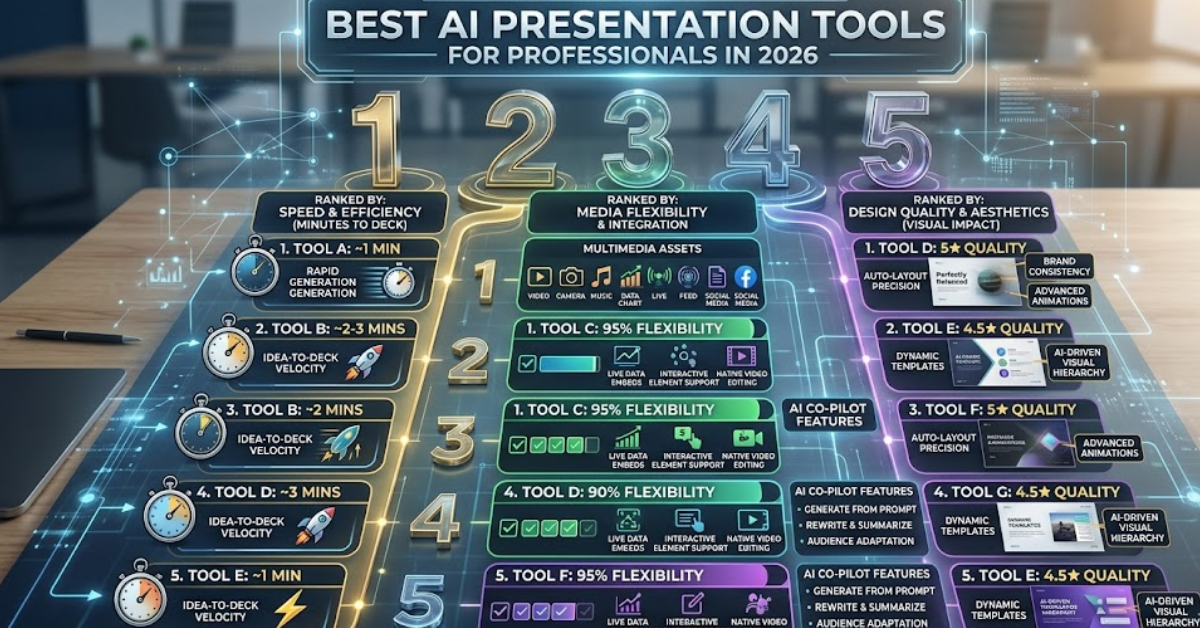
This article is for working professionals, marketers, and business owners who need to build polished, media-rich slide decks quickly and without relying on a designer. Whether you are pitching to investors, presenting to clients, or building internal training materials, the tool you choose directly affects how much time you spend on formatting versus actually refining your message. After reading this guide, you will be able to evaluate the current landscape of AI-powered presentation tools, understand which features matter most for professional use, and make a confident decision about which platform fits your workflow.
Why the Old Way of Building Presentations No Longer Works
Professionals have traditionally spent hours inside slide editors adjusting text boxes, hunting for stock images, and agonizing over font consistency. Research and anecdotal reports from marketing and operations teams consistently show that a significant portion of presentation time goes toward formatting rather than content strategy. In 2026, that is no longer necessary. A new generation of AI-powered tools can generate a structured, designed deck from a text prompt or an existing document in a matter of minutes.
The shift matters because speed and visual quality are no longer trade-offs. The best tools now let you upload your own photos and video footage, integrate with stock libraries, collaborate in real time, and export in formats your audience can actually use, including standard PowerPoint files. The challenge is that not every tool does all of these things equally well, and the differences between platforms are meaningful depending on your specific use case.
The 10 Criteria That Separate Strong Tools from Weak Ones
Before evaluating any platform, establish a consistent framework. These are the criteria worth measuring against:
- AI generation quality: Can you describe a topic or upload a document and receive a usable draft with coherent structure and real layout logic, not just bullet points on plain slides?
- Personal media upload: Does the tool let you bring in your own photos and video files, not just rely on stock libraries?
- Stock library integration: Is there access to high-quality, commercially licensed images and video directly within the editor?
- Customization depth: How easily can you adjust fonts, colors, layouts, and visual hierarchy without needing design training?
- Collaboration features: Can multiple teammates view, comment, and co-edit in real time through a shared link?
- Export flexibility: Can you download as a PowerPoint file, a PDF, or present directly from the platform without losing formatting?
- Branding controls: Does the tool support uploading your brand kit, including colors, logos, and fonts, so every deck stays on-brand?
- AI-assisted media creation: Can the tool generate images or other visual assets through AI when you do not have a photo that fits your slide?
- Platform availability: Is it accessible on both desktop and mobile so you can make edits before a meeting regardless of device?
- Pricing structure: Are there free or trial options that let you evaluate the tool in a real workflow before committing to a paid plan?
Use these criteria every time you evaluate a new platform. They will keep your comparison grounded in professional utility rather than surface-level aesthetics.
Tool Type 1: AI-First, Presentation-Specific Platforms
Some tools are built exclusively around presentations. They tend to have the most sophisticated AI generation pipelines, with features like narrative structuring, audience targeting, and smart layout suggestions that go beyond what general-purpose design platforms offer. The tradeoff is that they are often narrower in scope: if you also need to produce social graphics, video clips, or brand assets alongside your deck, you will likely be paying for two separate tools.
When evaluating tools in this category, pay close attention to how the AI handles your source material. The best platforms in this group can ingest PDFs, Word documents, or website URLs and convert that content into a structured outline before generating slides. This matters a great deal for professionals who already have research or documents ready and do not want to start from a blank prompt. Pricing for dedicated platforms varies widely, with some using per-generation credits and others offering flat monthly rates, so evaluate billing models carefully against your expected usage volume.
Key strengths to look for in this category:
- Prompt-to-deck generation that produces real narrative structure, not just bullet lists
- Audience and tone controls (e.g., executive briefing vs. technical deep dive)
- Smart image placement that matches visuals to slide content automatically
- Collaboration features with granular permission settings
Weaknesses common to this category include limited versatility outside presentations, smaller template libraries compared to general-purpose design platforms, and occasional over-reliance on a particular visual style that can make decks from the same tool look generic over time.
Tool Type 2: General-Purpose Design Platforms with Presentation Modules
A second category includes platforms that started as broad design tools and later added presentation capabilities. These are often the most flexible for media handling: uploading personal photos, embedding video clips, and mixing assets from different sources tends to feel more natural because the underlying editor was built around free-form creative work from the beginning.
Professionals who produce presentations alongside other branded content, including social posts, one-pagers, email headers, and event materials, will find the most value here. Having one workspace for all visual output reduces the friction of maintaining brand consistency across formats. The downside is that presentation-specific AI features in these platforms are sometimes less developed than in dedicated tools: the AI may generate a deck, but the structural intelligence and narrative logic may be less refined.
Key strengths to look for in this category:
- Seamless upload of personal photos, videos, and existing slide files
- Cross-format design capability within one subscription
- Large template libraries that cover a wide range of professional contexts
- Real-time collaboration and comment threads
- Export as PowerPoint or PDF without formatting loss
Adobe Express: One Strong Option for Media-Heavy Professional Decks
For teams already working within the Adobe ecosystem, the AI presentation maker built into Adobe Express is a genuinely capable option worth evaluating. The tool generates a slide deck from a text prompt or uploaded source files, producing an editable outline that you can review and refine before finalizing the visual presentation.
Three features stand out for professional use:
Personal media integration. You can add your own photos, videos, or existing Microsoft PowerPoint files and use them as the starting point for your presentation. The platform also recognizes layers from imported Photoshop and Illustrator files, which is a meaningful advantage for teams with existing design assets.
AI-assisted visual creation. Adobe Express connects to Adobe Stock for high-quality imagery and also includes an AI Image Generator tool that lets you create custom visuals from a text prompt directly within the editor. Additional AI features include generative fill for extending images, an AI voiceover tool, and a music generator that can create a custom audio track based on the tone you describe.
Real-time collaboration and flexible export. You can invite colleagues with a share link to view, comment, or co-edit in real time, and when the deck is finished, you can present directly from Adobe Express or download as a PDF or PowerPoint file.
The honest caveat is that Adobe Express is a broader design platform first and a presentation generator second. The platform prioritizes breadth across design types rather than depth in any single format, and the template library for presentations is smaller than some dedicated alternatives. That said, for Creative Cloud subscribers, Express Premium is included at no extra cost, making it effectively free for teams already paying for Adobe’s suite.
Tool Type 3: Legacy Presentation Software with AI Layers Added
A third category worth considering is established enterprise software that has added AI capabilities on top of mature, feature-rich editors. These platforms have years of development behind their slide editors, which means formatting controls, animation options, and presenter features like speaker notes and rehearsal timers tend to be more refined than in newer entrants.
The main limitation is that AI generation in these tools often feels bolted on rather than native. Generating slides from a prompt may produce serviceable results but rarely matches the narrative sophistication of tools that were designed around AI from the beginning. They also tend to require desktop software or specific operating system licenses, which can limit access for distributed teams working across devices.
Key strengths:
- Deep slide editing controls built over years of iteration
- Enterprise security and compliance features
- Integration with other productivity tools in the same software ecosystem
- Offline access for presentations without a reliable internet connection
How to Match the Right Tool to Your Use Case
Once you have evaluated tools against the 10 criteria listed earlier, narrow your options using these use-case filters:
If you present frequently to external clients or investors: Prioritize narrative structure in AI generation and branding controls. The deck needs to feel original, not templated.
If your presentations are media-heavy with videos and product photography: Prioritize personal media upload quality, video embedding reliability, and the ability to present directly from the platform rather than exporting to a separate file.
If you work on a team and need multiple people reviewing or editing: Real-time collaboration features and granular sharing permissions become the most important criteria. Evaluate these features in a free trial before committing.
If you need consistency across presentation decks, social content, and print materials: A general-purpose design platform with a strong presentation module will serve you better than a dedicated presentation tool. The unified workspace reduces the chance of visual inconsistency across formats.
If you are already embedded in a specific software ecosystem: Integration with tools you already use, such as document editors, cloud storage, or asset libraries, can significantly reduce friction. A tool that works seamlessly with your existing files is often more productive than a theoretically superior standalone option.
A Note on Free Plans and Trial Periods
Most professional-grade tools in this category offer some form of free access, but the terms vary significantly. Some tools limit how many AI-generated presentations you can create per month on a free plan. Others limit exports, watermark downloads, or restrict access to premium templates. Before committing to a paid subscription, spend time stress-testing the specific features you care about most: generate a deck from your actual source material, upload a personal photo, invite a colleague to co-edit, and attempt to export in the format you need. A five-minute demo on the platform’s marketing page tells you far less than a real workflow test.
FAQ
Do I need any design experience to use AI presentation tools effectively?
No. The tools discussed in this guide are designed for people who do not have formal design training. The AI handles layout logic, font pairing, color consistency, and image placement. Your job is to provide the content, either as a text prompt or an uploaded document, and then make targeted edits to the generated output. Most platforms also include guided tutorials or contextual help built into the editor. That said, professionals with even a basic understanding of visual hierarchy, such as knowing the difference between a heading and supporting text, will be able to get more precise results from the customization options. If you want to develop that foundational knowledge, platforms like Coursera offer short courses on visual communication and design thinking that do not require any prior creative background.
Can I use my company’s brand colors, fonts, and logo in an AI-generated presentation?
Yes, most professional-grade tools in this category support brand kits. This typically means you can upload your logo, input your hex color codes, and specify your preferred fonts so that every generated deck automatically reflects your brand identity. The depth of this feature varies by platform: some tools apply branding only to templates, while others allow you to lock brand elements so that collaborators cannot inadvertently change them. If brand consistency is a high priority, test the brand kit functionality specifically during your trial period and confirm that branding persists when you export to PowerPoint or PDF.
What is the difference between uploading personal images versus using built-in stock libraries?
Uploading personal images gives you complete control over visual authenticity. For client-facing decks, product presentations, or any situation where the audience expects to see real people, real locations, or real products, personal photos almost always perform better than stock imagery. Stock libraries are faster and more convenient when you need to illustrate a concept, fill a background, or add visual texture to a slide that does not require brand-specific content. The strongest tools let you do both within the same editor, switching fluidly between your uploaded media and the stock library depending on the slide’s needs. When evaluating tools on this criterion, check whether uploaded videos can be embedded as playable clips within the deck or only as static thumbnails.
How do I ensure that a presentation generated by AI is accurate and not fabricated?
AI generation tools are not research engines. They are structure and design engines. If you provide a prompt like “create a presentation about Q3 sales performance,” the AI will build a visually coherent deck with logical slide structure, but any specific numbers, percentages, or claims it inserts will be placeholders or hallucinations unless you supply the underlying data. The professional workflow that avoids this problem is to upload your own source documents, financial reports, research summaries, or strategy briefs, and let the AI convert your verified content into a structured deck rather than generate content from scratch. Always review every slide’s text before presenting to any external audience.
Is it safe to upload confidential business documents to AI presentation tools?
This is an important question for any professional using cloud-based tools. Most enterprise and teams-tier plans for the tools in this category include data security commitments such as encryption in transit, encrypted storage, and explicit assurances that uploaded documents are not used to train AI models. Free plans may have different terms. Before uploading sensitive materials such as financial projections, client data, or proprietary research, review the platform’s privacy policy and data processing terms carefully. If your organization operates under strict compliance requirements such as HIPAA, GDPR, or SOC 2, verify that the tool has the relevant certifications before use. When in doubt, remove or redact sensitive figures from documents before uploading.
Conclusion
The market for AI presentation tools in 2026 is genuinely competitive, and the right choice depends more on your specific workflow than on any single platform’s feature list. Professionals who need deep media customization, team collaboration, and flexible exports have strong options across all three tool categories discussed here. The most important step is to move beyond marketing pages and test your actual workflow during a free trial, specifically the features you will use most: generating from your real source documents, uploading your own media, collaborating with a teammate, and exporting in the format your audience expects.
No single tool is perfect for every use case. A dedicated AI presentation platform may outperform a general-purpose design tool on narrative structure but fall short on cross-format versatility. A legacy enterprise editor may offer unmatched slide polish but lack the speed of modern AI generation. Map the 10 evaluation criteria in this article directly to the priorities of your role, test two or three strong candidates, and choose the one that removes the most friction from the specific presentations you build most often.